 Back to generatorGenerator
A little fruit. A whole lot of character.
AI Fruit Character Generator
Turn a simple idea into a fruit character with a personality of its own. Write a prompt, explore a new look, and save a favorite for your next story.
Sign in and use Paid Credits to generate images. Each new version uses credits. See pricing.
Examples
 AI Fruit Video
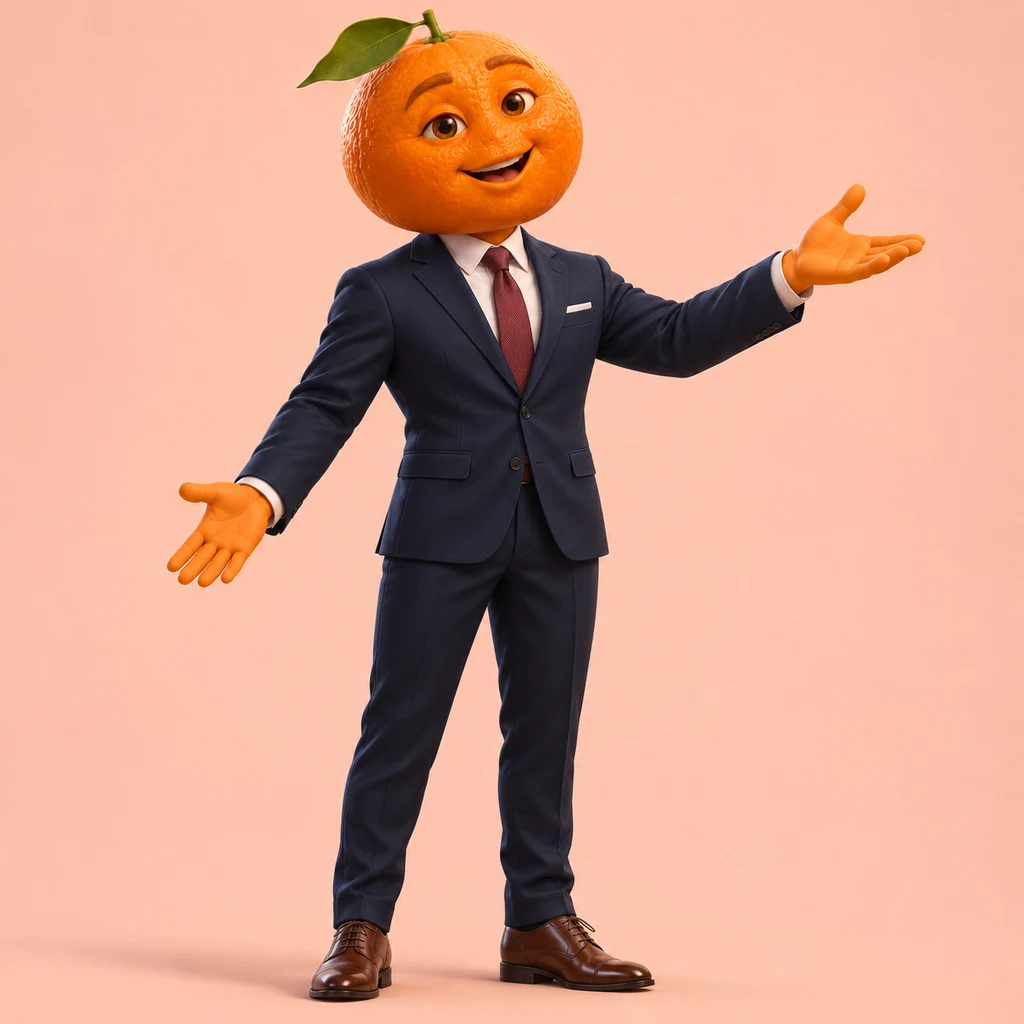
Tangerine in a suit
Adult proportions, a navy suit and a burgundy tie give this tangerine a role in a contemporary fruit drama. Keep those features while changing the expression or scene.
Character concepts to inspire your own design.
From a sentence to a character
How to create a fruit character
Describe a character
Start with a fruit and a role: a tangerine lead in a suit, a strawberry pastry chef, or a lychee courier. Add the clothes, expression and art style you want. If the idea is still vague, choose an example and use its prompt as an editable starting point. You can begin with words alone; uploading a reference is optional.
Generate, look, refine
Choose the model, image shape and available quality settings, then click Generate. Look at the fruit silhouette, face, hands and costume before deciding what to change. Edit a specific detail and generate another version. Asking for a warmer smile or a simpler jacket gives you a clearer comparison than changing the entire character at once.
Save the version you like
When a picture feels right, choose Save to my images. It becomes a favorite in your account, ready to select from another creation tool. You can also download the image. Keep the character description with your idea so that a later scene can repeat the same fruit, outfit, palette and signature prop.
Fruit character prompts
Write a prompt that describes your character
A useful character prompt gives the image generator a few clear decisions. Start with identity, then add personality, clothing, pose and style. You do not need a long story to design a good fruit character. Details should help you recognize the same idea, rather than pull the picture in several directions.
Try this order: fruit + role + recognizable features + outfit + expression + framing + visual style. Treat it as a checklist rather than a formula. A fruit mascot for a friendly gardening club needs different choices from a dramatic villain or a playful fruit OC for a short story.
Keep the fruit visible
Name the fruit and the details that make it recognizable. A pineapple needs its crown and textured skin; a blueberry can keep its small calyx. Say whether you want a fruit-shaped body or a fruit head with a dressed body. Otherwise, a detailed costume can overwhelm the part that makes the character yours.
Show personality through details
Translate a personality into something visible. A confident drama lead might have expressive eyes and an open-handed greeting. A patient mechanic might wear practical overalls and hold a wrench. Choose one or two useful props instead of surrounding the character with objects that compete for attention.
Specify the pose and framing
Ask for a full-body standing pose when you need to inspect the complete outfit. A portrait is better for exploring eyes, a mouth or an expression. A simple background makes the silhouette easier to read, while an action scene can come later after you have settled on a design.
Name the visual treatment
Choose a visual finish in Style: AI Fruit Video, Chibi 3D, 2D anime, Watercolor, Clay stop-motion or Photoreal fruit. You can switch the art direction while keeping your character description. Choose None when your own prompt already describes the style you want. Clothing and scene details stay in the editable description.
A worked example: the tangerine drama lead
Create a full-body adult tangerine character for a contemporary fruit short drama. Keep a whole uncut fruit head, one green leaf, expressive eyes and a mouth formed directly in the peel. Give the character a tailored navy suit, white shirt, burgundy tie and brown leather shoes. Use human body proportions and a confident, welcoming expression.
The whole fruit head and leaf establish identity, the suit and tie explain the role, and human proportions suit a contemporary drama. Choose the AI Fruit Video style for the cinematic 3D finish. For a second version, keep those decisions and change the welcoming smile to a surprised expression. If you also replace the outfit, background and art style, it becomes harder to tell which change improved the result.
Find the right look for your fruit character
Recognition starts with a few details you can repeat: shape, stem or leaf, colors, clothing and a signature prop. A strong fruit character design remains readable when the image is small. Before adding an elaborate setting, check whether you can still identify the fruit and understand the character's role from the silhouette and outfit.
AI Fruit Video characters
A whole fruit head, a face formed directly in the peel and adult human proportions define the AI Fruit Video look. The tangerine's tailored suit makes it suitable for a contemporary office scene or talking-fruit short drama. This direction uses a cinematic 3D finish and dressed bodies with smooth fruit-colored skin.
Chibi 3D fruit mascots
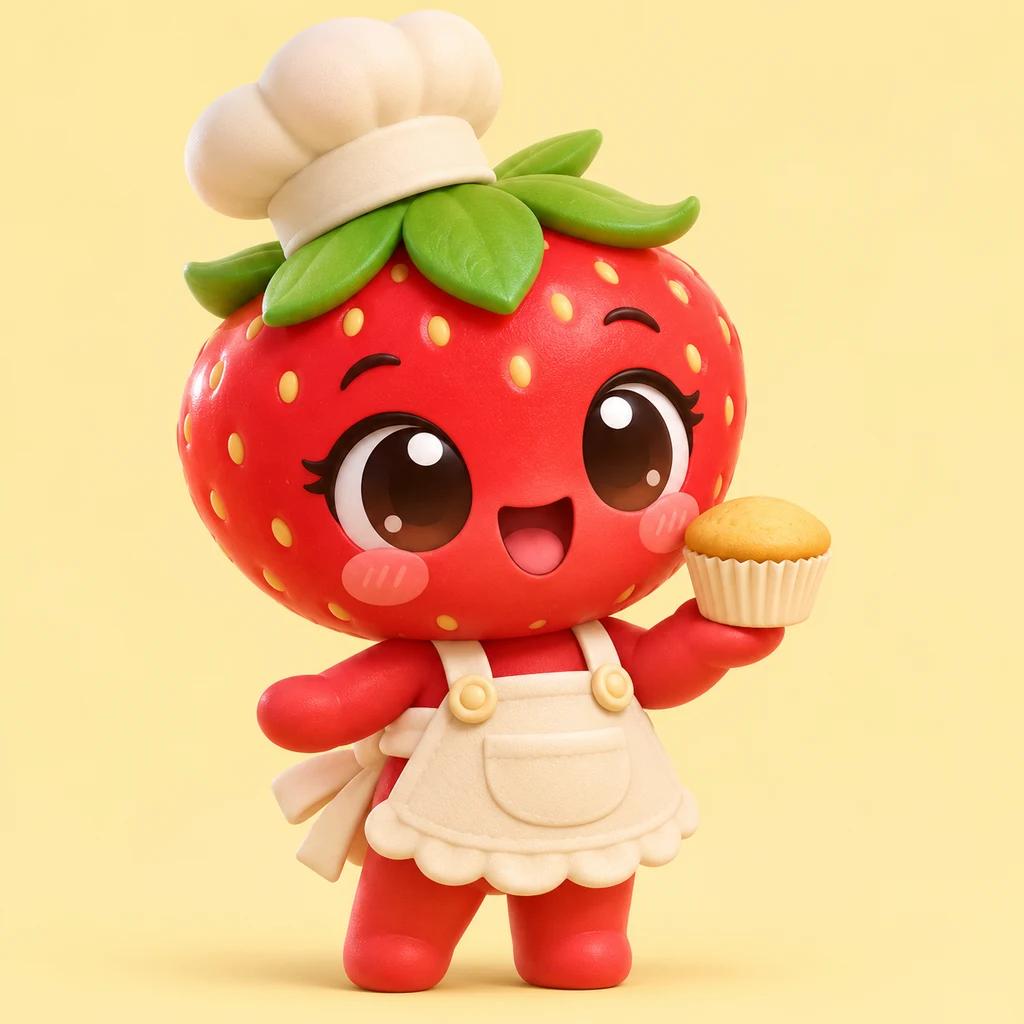
A large head, short limbs and oversized eyes make the strawberry pastry chef feel like a playful mascot. Rounded forms and soft glossy materials reinforce that proportion choice. Describe the toy-like body explicitly when you want this effect; saying only 3D does not distinguish a tiny mascot from an adult-proportioned drama lead.
2D anime fruit characters
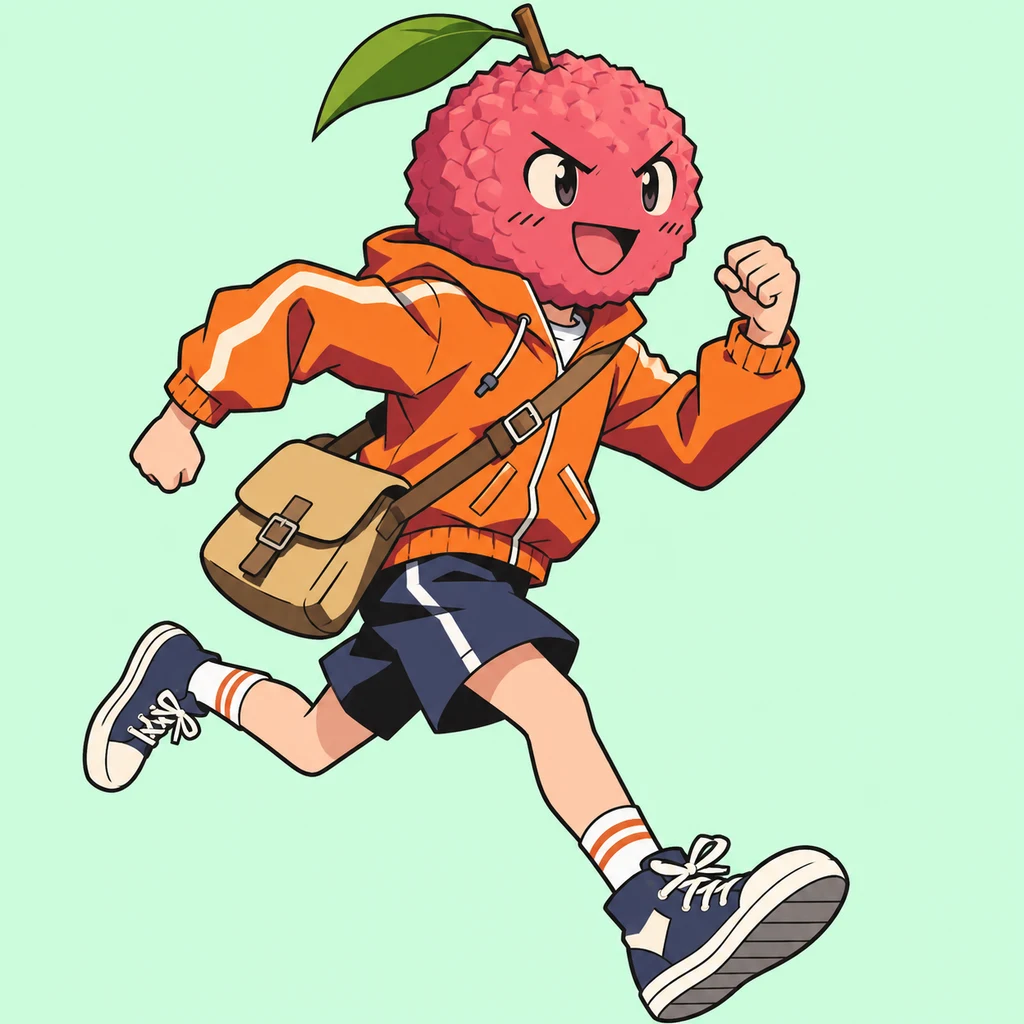
The lychee courier uses ink outlines, flat cel-shaded colors and a running pose. Those drawing choices create a clear alternative to a rendered 3D character. Keep the line weight and shadow treatment in the description when changing the outfit or action, so a later version remains recognizably part of the same illustrated world.
Watercolor storybook characters
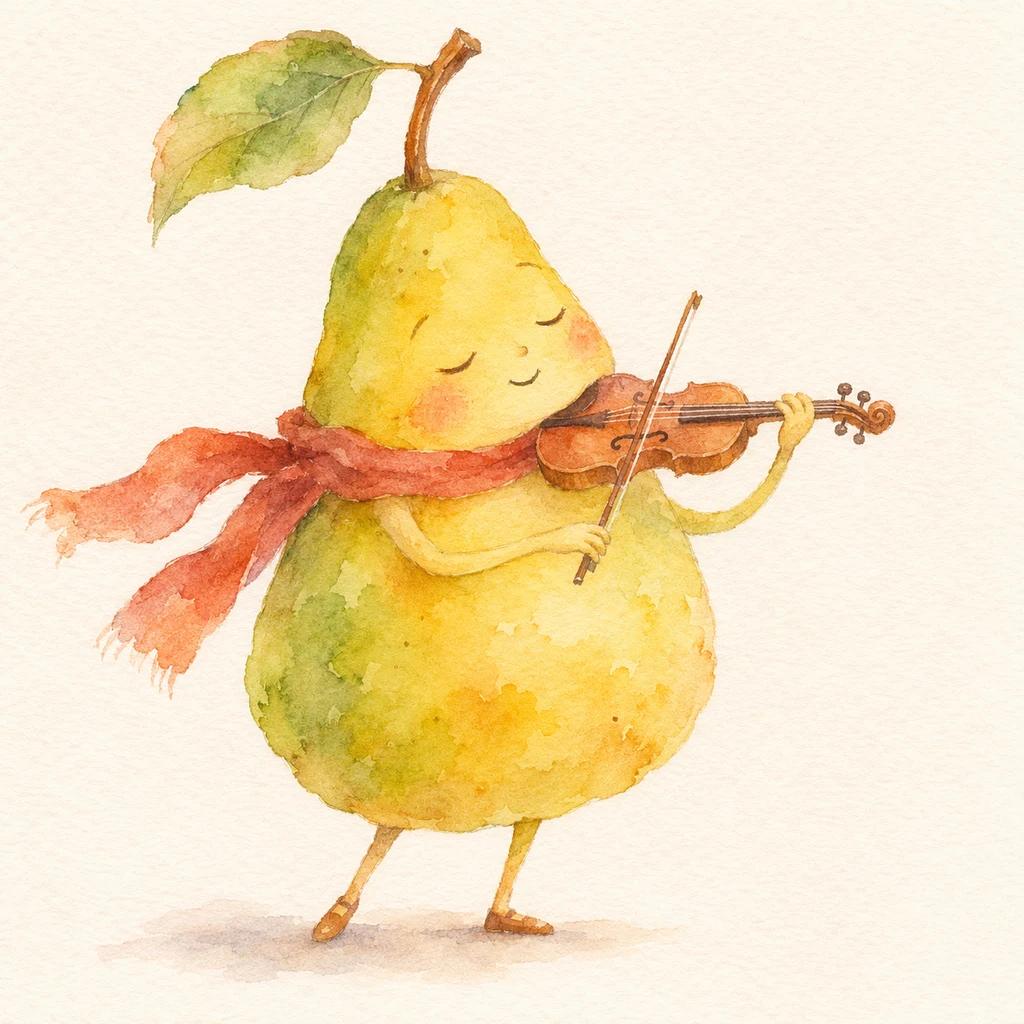
Translucent paint, irregular edges and visible paper grain give the pear violinist a gentle storybook feeling. The pear is the body, with small limbs and one expressive prop. This shape works differently from a fruit head on a dressed human body. Keep both the medium and that silhouette clear when developing a cast.
Clay stop-motion characters
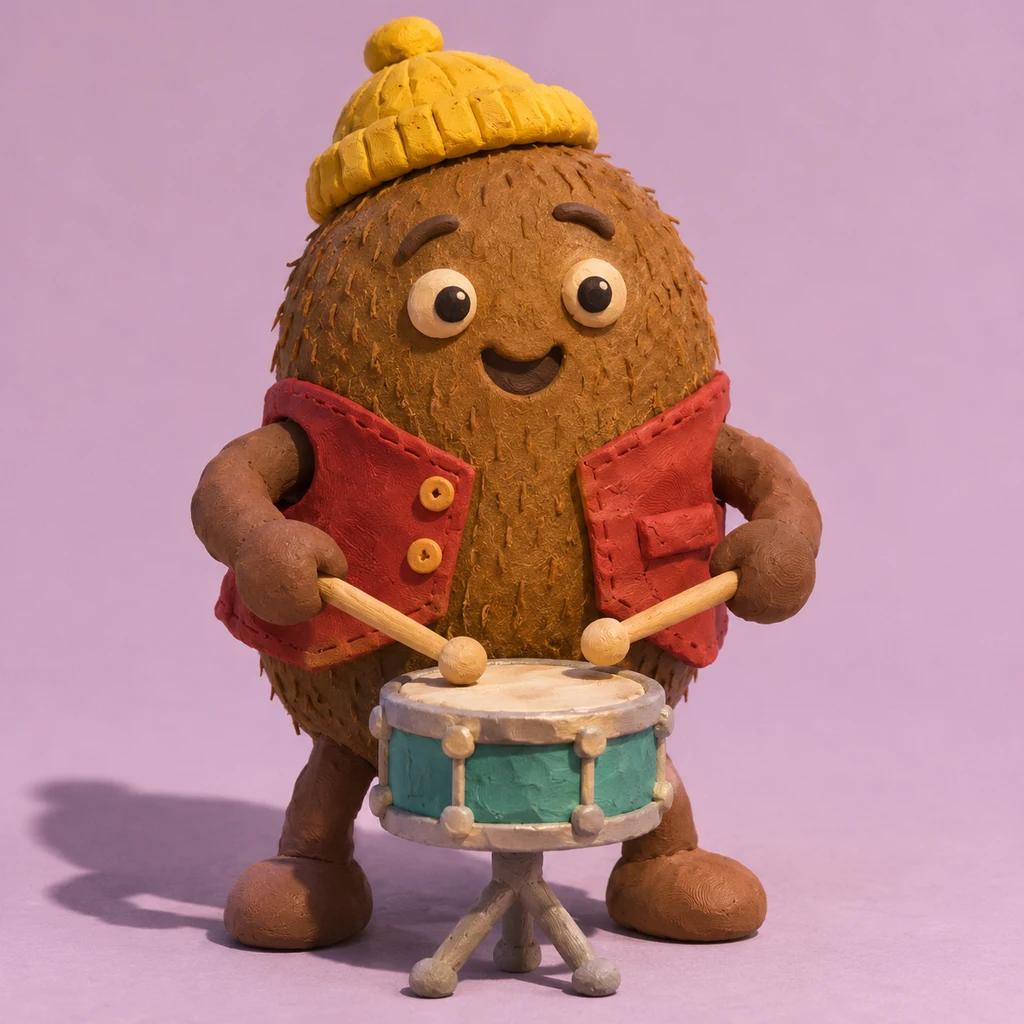
Fingerprints, uneven hand-rolled edges and real contact shadows make the kiwi drummer look like a physical clay puppet. A short oval body, yellow beanie and red waistcoat support the handmade character. Ask for the material's imperfections, rather than changing colors alone, when you want a result that feels closer to stop-motion craft.
Photoreal fruit characters
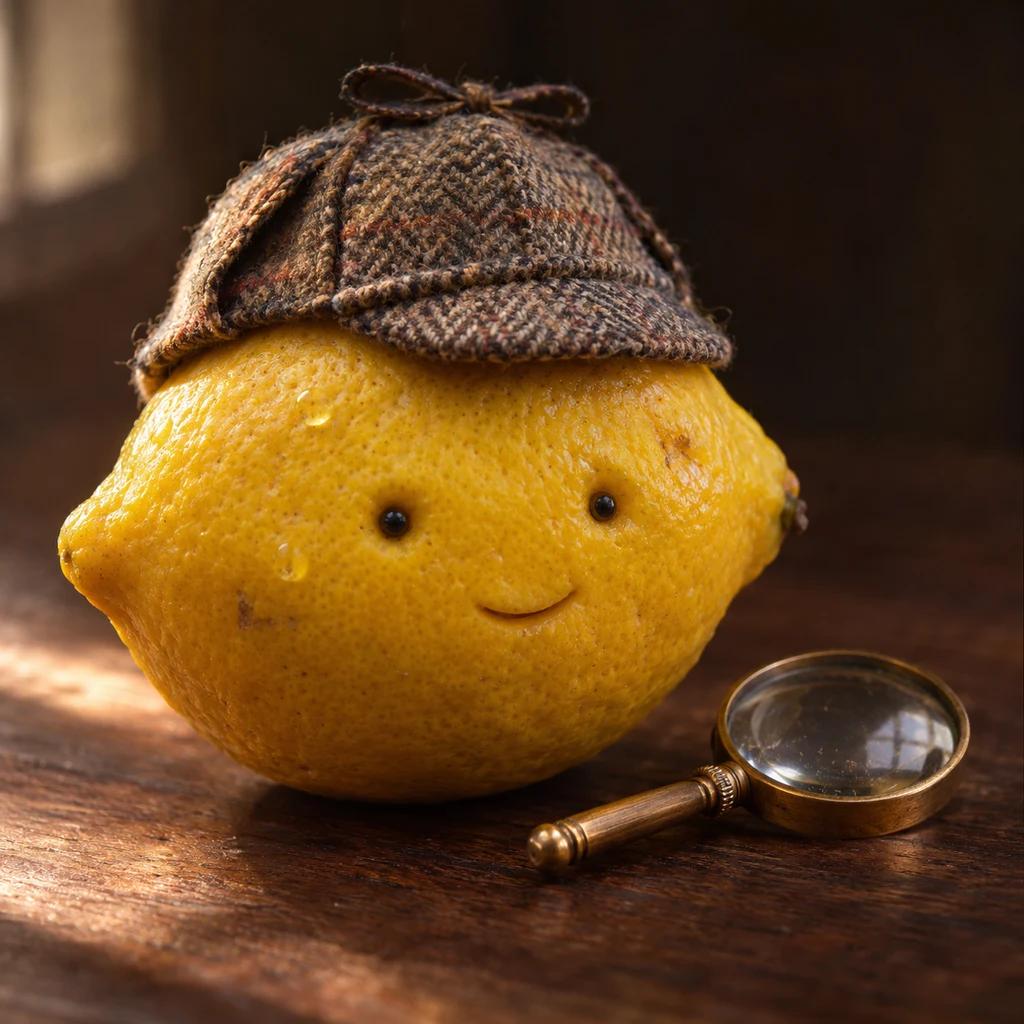
The lemon detective keeps natural peel pores, small blemishes and believable fabric. Its face sits on a whole fruit body instead of a human torso. Photographic lighting and depth of field give this food-art direction a different mood from anime or clay. Preserve those surface details when trying another expression or small prop.
When designing a cast, vary the silhouettes and roles instead of giving every fruit the same outfit. A compact strawberry chef, a tall tangerine lead and an oval kiwi drummer offer different visual rhythms. Keep a shared art direction if they will appear together. If you mainly want to experiment with eyes, mouths and expressions, explore fruit faces and expressions.
Design once. Keep creating.
Save a character, then give it a scene
Character design and scene direction solve different problems. First decide what the character looks like. Then describe what it does, where it stands and how the camera sees the action. Separating those choices gives you a useful reference to carry into later images, talking-fruit clips or a larger fruit story.
Use Save to my images on a generated result to keep an independent copy in your account for two years. It is added to Favorites. Uploaded images can be starred too, so your collection can include characters you made here and references you brought with you. Removing a star keeps the image in All images; deleting an image is a separate action.
Bring your favorite into another tool
- Save the character image you want to use.
- Open the video generator or another image tool.
- Choose Upload, switch to Favorites and select the character.
- Write the next scene, review its settings and explicitly start generation.
Repeat the identifying details in your scene prompt: for example, a tangerine astronaut with a green leaf and cream spacesuit waving beside a greenhouse. A reference guides the next result, but it does not lock the character. Faces, proportions, clothing and small details can vary between generations, so inspect the new scene before using it.
Fruit character questions
Is this an image generator or a video generator?
This tool creates a still character image from your prompt. Use it to develop an appearance and save a reference. To animate a scene, open a video creation tool and select the saved image there. A still character picture does not already contain movement, dialogue or lip sync.
Do I need a reference image to start?
No. You can describe a fruit character entirely in words, or begin with one of the concept prompts. Uploading an image is optional. Selecting an example only fills in its editable prompt; it does not upload that example as a reference or automatically start a generation.
How do I change a character's clothes or expression?
Edit those details in the prompt and generate another version. Keep the fruit, identifying colors and other details you want to retain. You can also select a saved image as a reference. Compare the new output rather than assuming that everything you did not mention will remain identical.
Can I make a cartoon, clay or 3D fruit character?
Yes, you can describe the art direction in your prompt. The concept examples show different approaches, including 3D animation, handmade clay and watercolor illustration. Choose None in the Style control when the prompt contains your own style instructions. The selected image model still influences the final interpretation.
Where can I find my saved characters?
While signed in, open Upload in a creation tool. All images contains your saved and uploaded references; Favorites shows the images you have starred. Generated images saved with Save to my images are favorited automatically. You can remove a favorite without deleting the image from your library.
Is the AI fruit character generator free?
Image generation requires sign-in and Paid Credits. The generation button shows the credit cost for your selected model and settings before you start. Each new generation uses credits, including a revised version. Gift Credits are for eligible video generation, not image generation. See the pricing page for current purchase options.
Create your next character
Give a fruit a role, a recognizable look and a little personality. Start with a concept, make it your own, and keep the version you want to bring into the next scene.